100% on-device
Detection and redaction both run using Apple's on-device frameworks. There is no server, no account and no upload. Put the phone in airplane mode and everything still works.
Private by design. Redact faces, license plates and on-screen text from video — processed entirely on this device, never the cloud.
100% on-device · videos never uploaded
Free download · Optional Pro · iPhone · iOS 18+
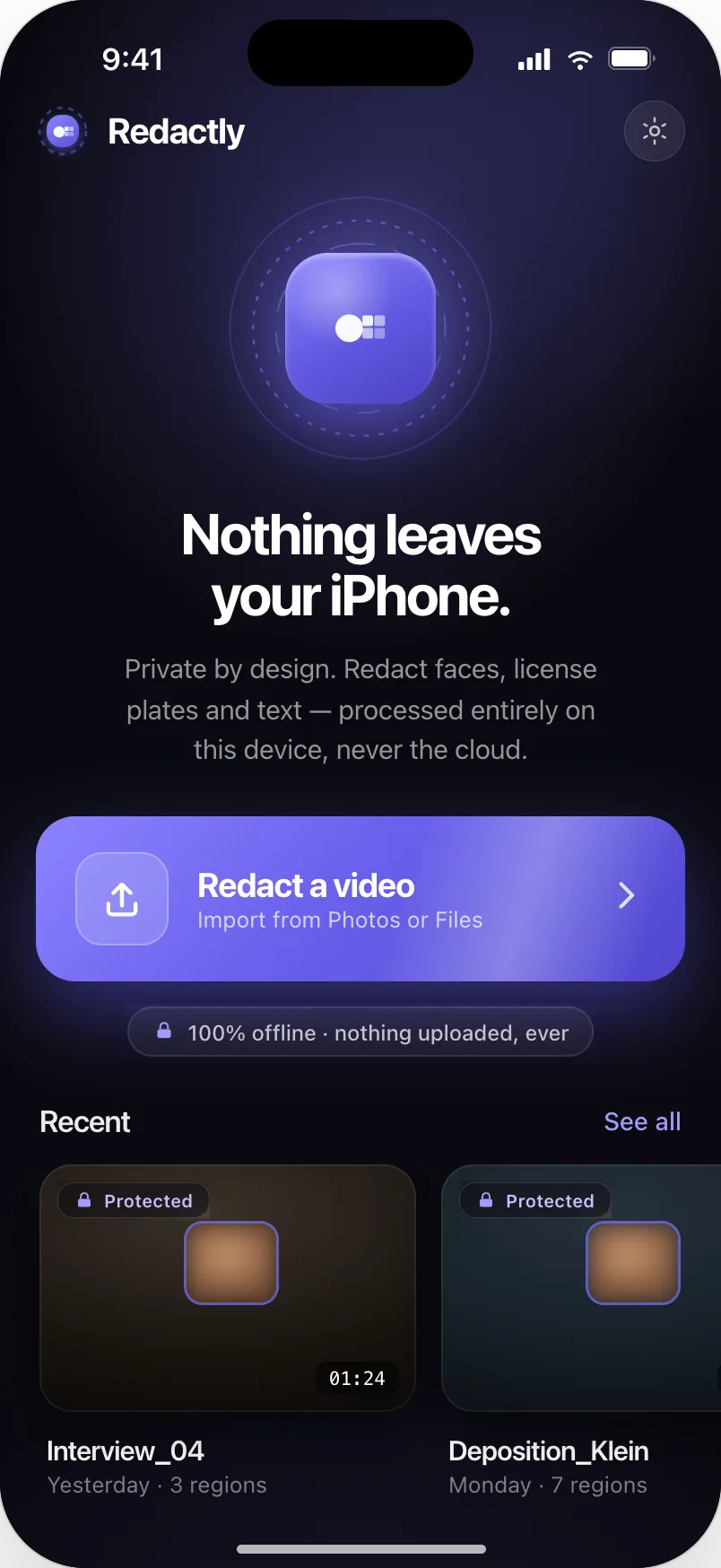
What Redactly is
A face in the background. A name on a badge. An address on a parcel. A plate in the driveway. Redactly finds those things and hides them — entirely on your iPhone, in a flow short enough that you’ll actually use it before you post.
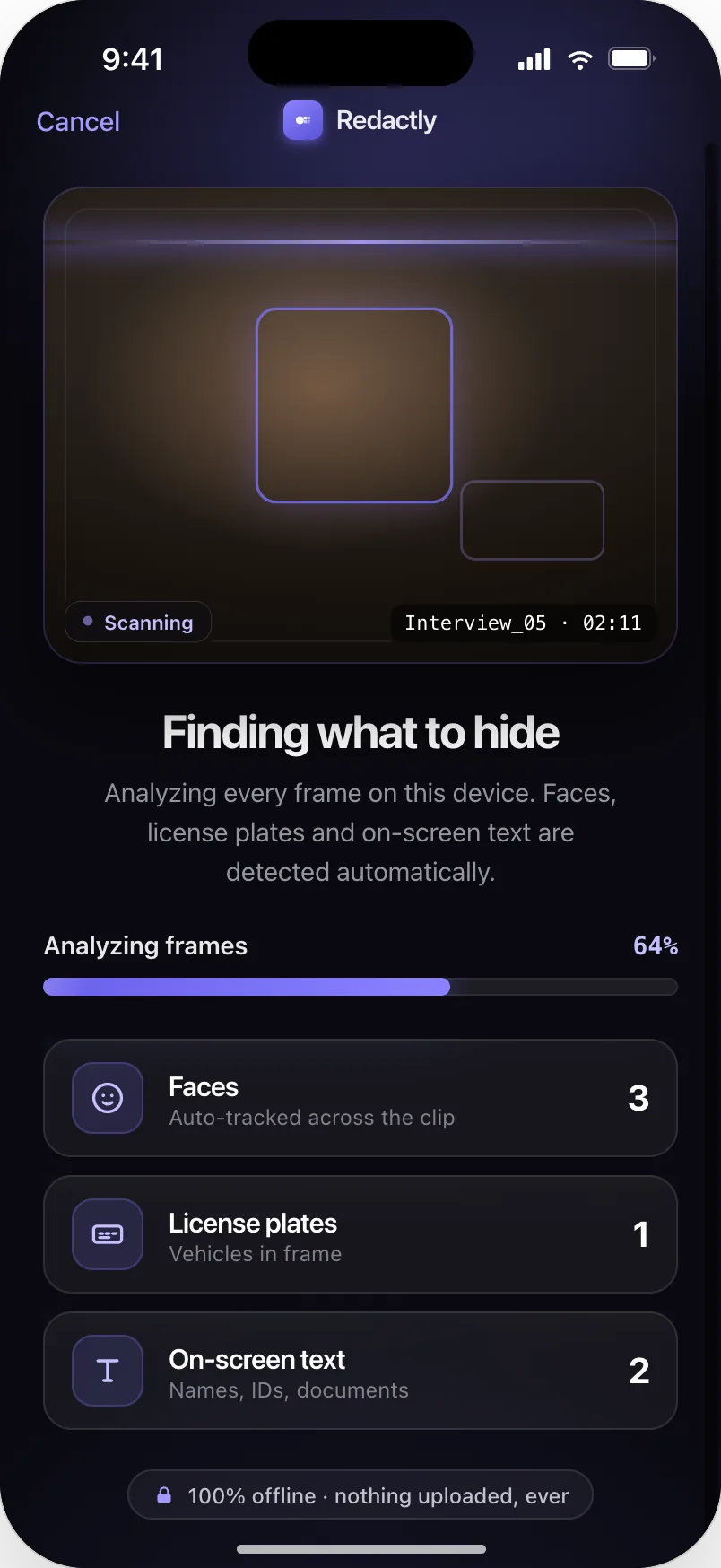
Every face in the frame is found on-device and listed with the timecode it appears at, so you can tell the subject from the bystander before anything is hidden.
Names on lower thirds, case numbers, addresses on parcels, documents on a desk. Text regions are grouped and labelled so you can keep the ones that matter.
Plates are a supported region type and every hit is flagged for review, so a plate is never quietly acted on without you confirming it.
Why Redactly
Every decision in the app — what it shows you, what it refuses to do, what it leaves out — comes back to a single claim it has to keep.
That is the contradiction at the centre of every online blurring service. Redactly resolves it by never having a server in the first place.
The common complaint about this category is coverage that slips — a face reappearing on fast motion or a lighting change. Redactly fails toward privacy: uncertainty widens the cover, it never narrows it.
Pick a video, check what was found, export. No format gauntlet, no codec picker, no confirmation screens. Most people never touch a single setting.
Core features
Redactly is not a video editor. It does one job, and the whole interface is organised around earning your belief that the job is done.
Detection and redaction both run using Apple's on-device frameworks. There is no server, no account and no upload. Put the phone in airplane mode and everything still works.
Redactly never quietly changes your video. It shows you what it found first — grouped, timecoded, with a HIGH or REVIEW confidence label — and tells you what it did not find, so you know it actually looked.
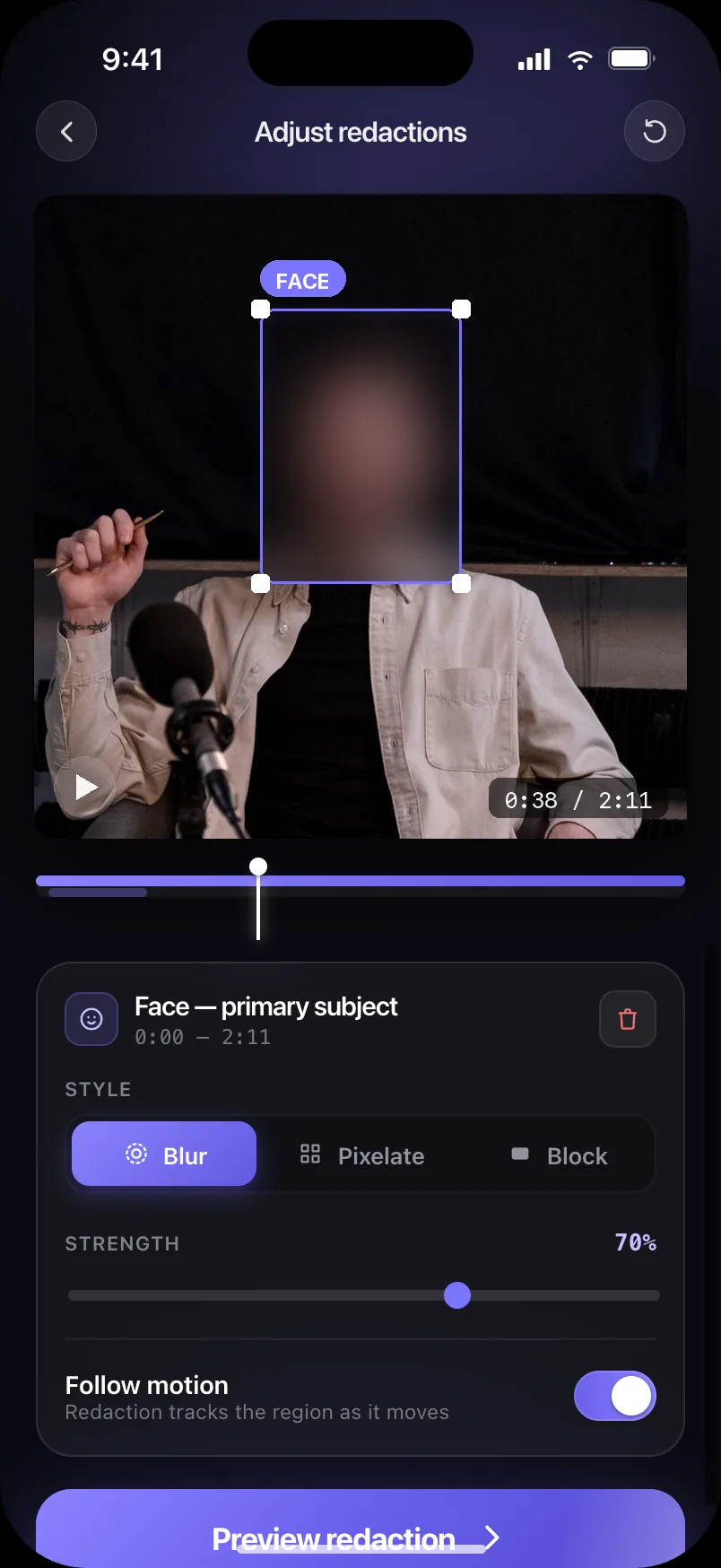
Three redaction styles, strength adjustable from 10 to 100, set per region. Defaults are opinionated and safe; you only touch a setting when you disagree with one.
Turn on motion tracking and a redaction moves with its subject. When tracking becomes uncertain, Redactly widens the covered area rather than risk exposing a frame — and tells you where, so you can re-anchor it.
Drag the before/after slider and watch the face disappear under your finger. You are never asked to trust a claim you cannot see.
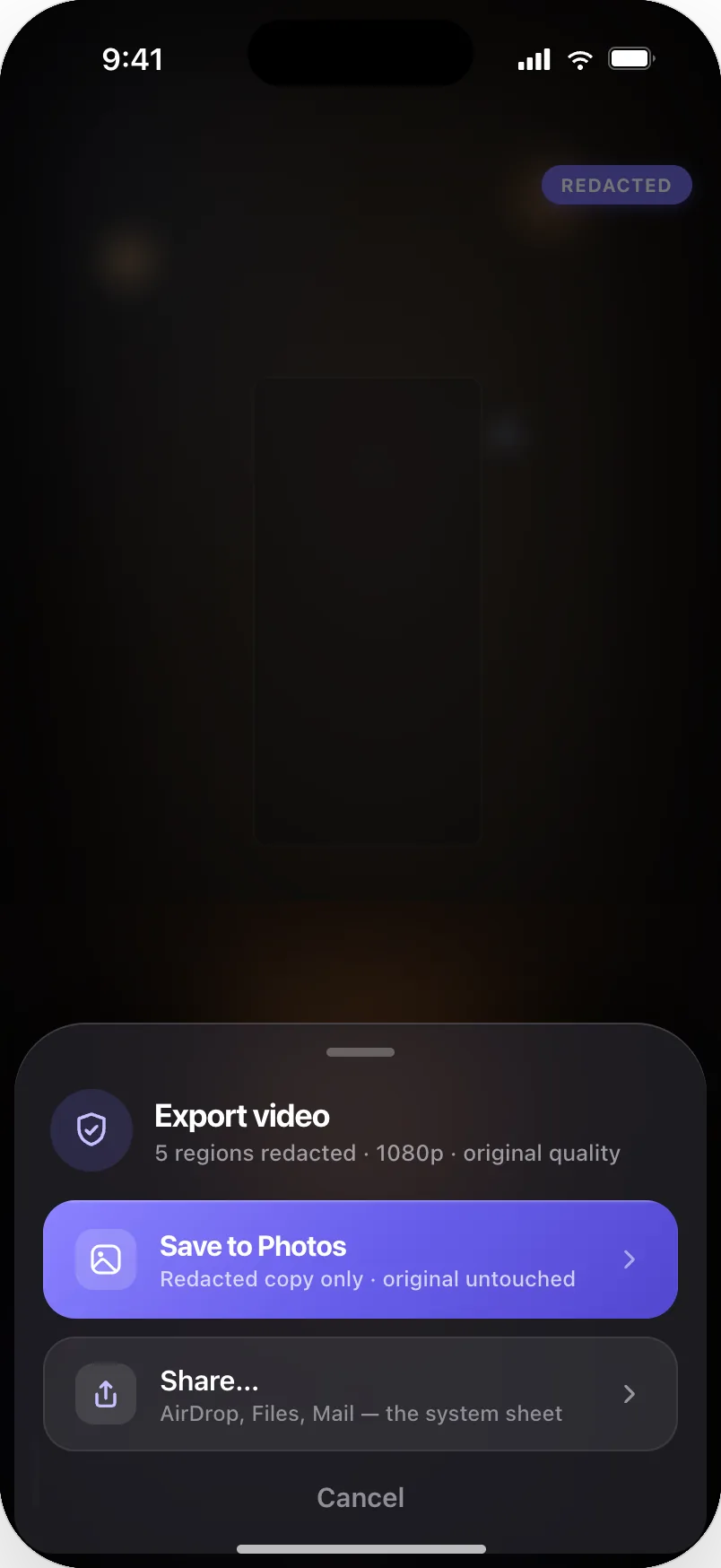
Export writes a separate redacted copy to Photos, or hands it to the system share sheet for AirDrop, Files or Mail. The video you started with is never altered.
Adjust anything
How it works
From Photos or Files, or record a new one in the app. It never leaves the device.
Faces, on-screen text and license plates, found on-device, with a live tally as it works.
Every region listed with its timecode and confidence. Everything is on by default; you decide what stays.
Drag the before/after slider to confirm, then save to Photos or share. Original quality, original untouched.
Before / after
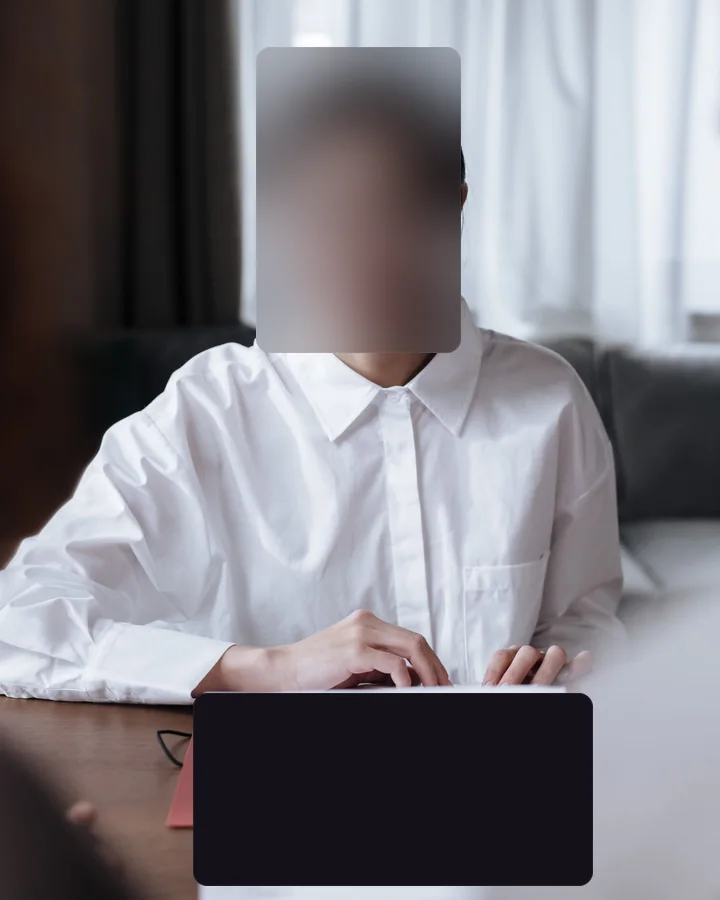
The comparison wipe is the app’s signature moment. Drag the handle across real footage and watch the face and the document disappear underneath it. Seeing it is more convincing than any label — which is exactly why the app makes you look before it lets you export.
Both frames are photographs. The redacted half isn’t a filter over the top — the blur, pixelate and block areas are rendered into the pixels using the same parameters the app uses, so there is nothing underneath to recover. The people shown are stock models and are not Redactly users.

ORIGINAL
REDACTED
Privacy by design
Redactly never does. Detection and redaction both run using Apple’s on-device frameworks, so the promise isn’t a policy you have to take on trust — it’s a property of how the app is built. Put your iPhone in airplane mode and everything still works.
100% on-device · videos never uploaded
Read the Privacy Policy →There is no upload path in the app. No network request carries your media, because no server exists to receive it.
Working files stay in the app's own container on your device. Nothing is copied off it.
Detection runs through Apple's on-device frameworks. Your frames are never sent anywhere to be looked at.
There is nothing to sign up for and no advertising. Anonymous crash reports and usage statistics help us fix bugs — they never include your videos or anything in them.
Exporting writes a separate redacted copy — to Photos, or to whatever you choose in the system share sheet. The file you started with is left exactly as it was.
FAQ
Still unsure about something? Get in touch.
Free and unlimited. Blur faces, text and plates with no sign-up, no watermark and no limit on length — your videos never leave your iPhone. Upgrade to Pro for full resolution and more styles.
100% on-device · videos never uploaded
Free download · Optional Pro · iPhone · iOS 18+